


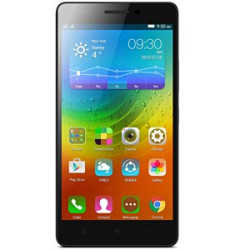
Fixme Vietnam handles lenovo A7000 Plus repair with 17 services, from power repair and charging port replacement to mainboard faults. Most repairs are done the same day at 53 D5 Ward 25, Binh Thanh, HCMC, and your phone is checked before we quote.
Common Lenovo A7000 Plus problems and repairs
This list comes from the 17 services available for the Lenovo A7000 Plus, grouped by part so you can find your problem quickly.
Battery and power
Typical signs: battery drains fast or shuts down with charge left and phone won't turn on.
Charging and ports
Symptoms: not charging unless you hold the cable and no sound through headphones.
Camera
You may notice: blurry photos, no focus or a black camera screen.
Signal, SIM, Wi-Fi and IMEI
You may notice: no signal or a weak signal and SIM not detected.
Speaker, mic and audio
Symptoms: no sound or no ringtone and the other side can't hear you.
Water damage
You may notice: dropped in water or got wet and acting up or shutting down after getting wet.
6 more services (incl. software, icloud and storage, mainboard faults and buttons, vibration and housing) are listed below.
Lenovo A7000 Plus hardware specs
- Screen: 5.5 inch IPS LCD
- Battery: 2900 mAh
- Charging port: Micro USB
- Rear camera: 8 MP
- Front camera: 5 MP
- Chip: MediaTek MT6752M
Lenovo models close to the Lenovo A7000 Plus
Neighbouring models: Lenovo A7000 repair and Lenovo A7010 K4 Note repair. For every model, open Lenovo phone repair by model.
Lenovo A7000 Plus repair: frequently asked questions
How long does lenovo A7000 Plus repair take?
Most repairs are done the same day. Mainboard faults are checked first, then we quote and agree a pickup time.
How much does lenovo A7000 Plus repair cost?
It depends on the fault and the part. Open a service to see its price; services without a listed price are quoted after the phone is checked.
Can I wait while you fix it?
Yes. Phones are repaired in front of the customer at 53 D5 Ward 25, Binh Thanh, HCMC.
Bring your phone to 53 D5 Ward 25, Binh Thanh, HCMC or call 0888 888 652 to describe the problem first.


